
How to Find Your TV Model Number and Serial NumberUpdated 6 months ago
How to Find Your TV Model Number and Serial Number
You can find your TV model number and serial number on the label located on the back of your television.
Locate the Product Label
Turn the TV around and look for the information sticker on the rear panel.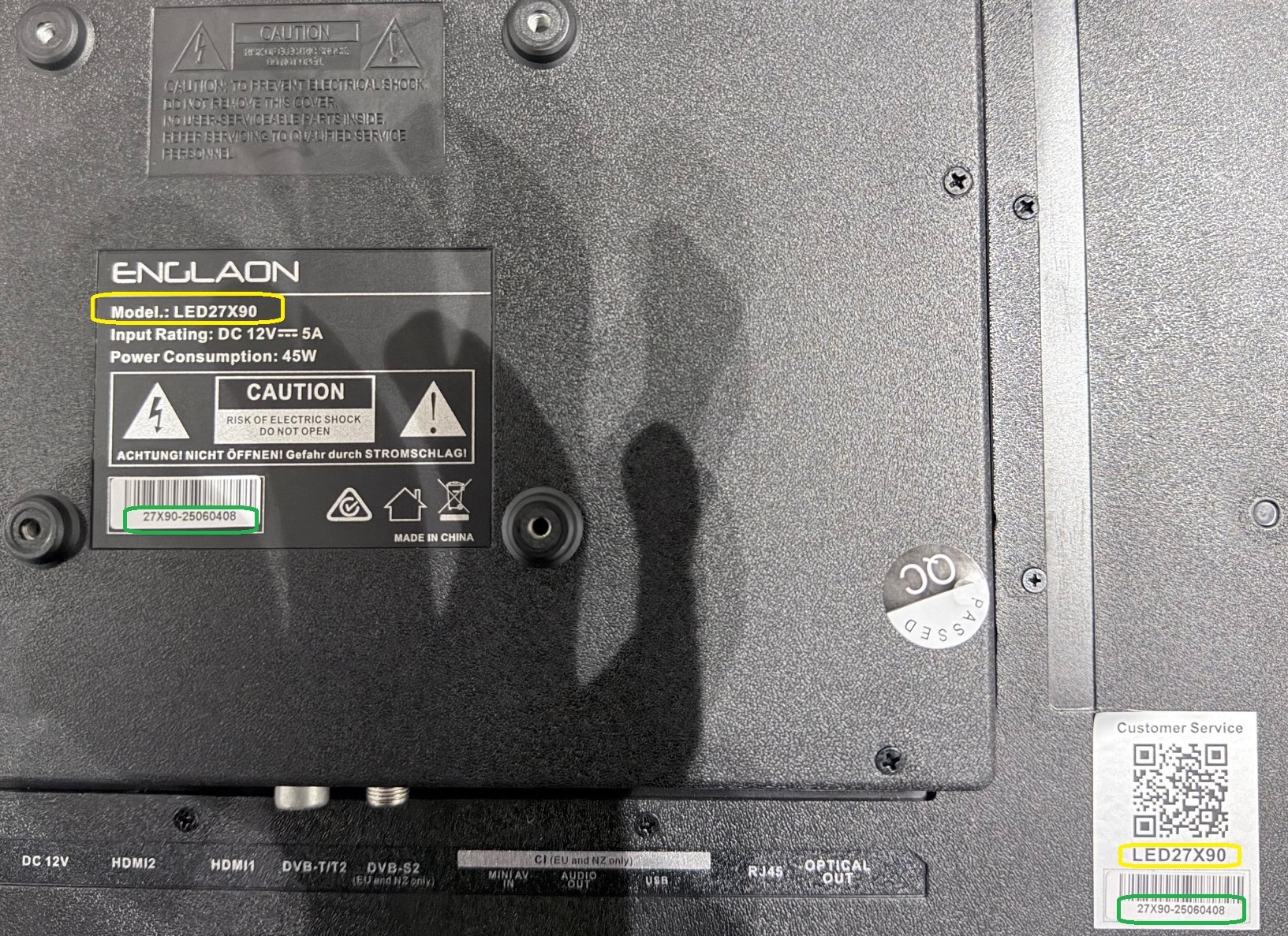
Find the Model Number
Look for the field labeled “Model”.
Example:
LED27X90 (highlighted in yellow in our example image)
Find the Serial Number
Look for the field labeled “Serial Number” or “S/N”.
Example:
25060408 (highlighted in green in our example image)
Why This Information Is Important
Your Model Number and Serial Number help our support team:
Identify your exact TV model
Check warranty status
Provide the correct troubleshooting steps
Confirm compatibility for accessories or firmware updates
If you contact ENGLAON Support, please include both numbers to help us assist you faster.