
Do I need Google Account/Gmail to Use ENGLAON Android / Google TV?Updated 6 months ago
Can I Skip Google Account Setup on ENGLAON Android TV / Google TV?
Yes — you can skip it. All ENGLAON Android TV / Google TV models support Basic TV Mode (no Google account required).
Basic TV Mode vs Google Account (Full Features)
| Feature | Basic TV Mode (Skip Google) | With Google Account |
|---|---|---|
| Setup Speed | ✅ Faster (no login) | ❌ Slightly longer |
| Free-to-Air TV | ✅ Yes | ✅ Yes |
| HDMI Devices | ✅ Yes | ✅ Yes |
| Pre-installed Apps (Netflix / YouTube / Prime Video) | ✅ Yes | ✅ Yes |
| Download New Apps | ❌ Not available | ✅ Google Play Store |
| Google Play Store | ❌ No | ✅ Yes |
| Chromecast (Casting) | ❌ No | ✅ Yes |
| Voice Control | ❌ No | ✅ Yes |
| Personalised Recommendations | ❌ No | ✅ Yes |
If you don’t have a Google account, you can create one for free in minutes.
Why is a Google Account (Gmail) required?
ENGLAON Android TV / Google TV systems are fully integrated with Google services.
- The login process and interface (Skip / Basic TV / Home mode) are part of the Google TV / Android TV system
- App availability and smart features are controlled by Google and app providers
- ENGLAON does not control these requirements
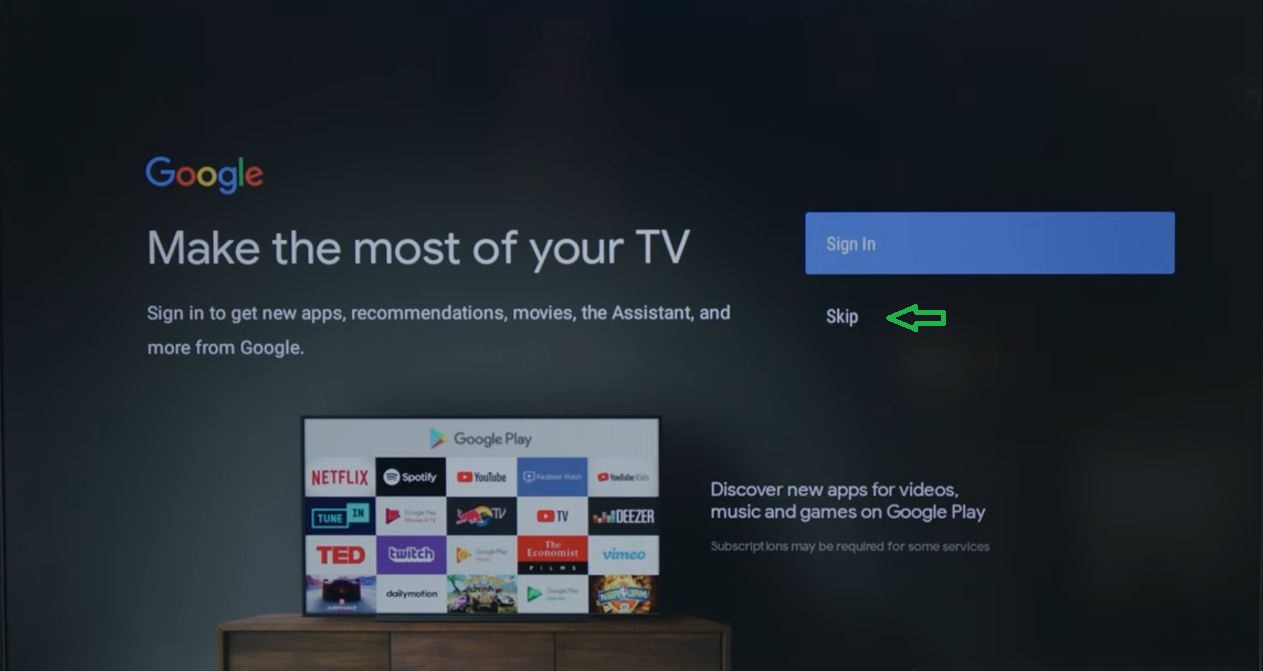
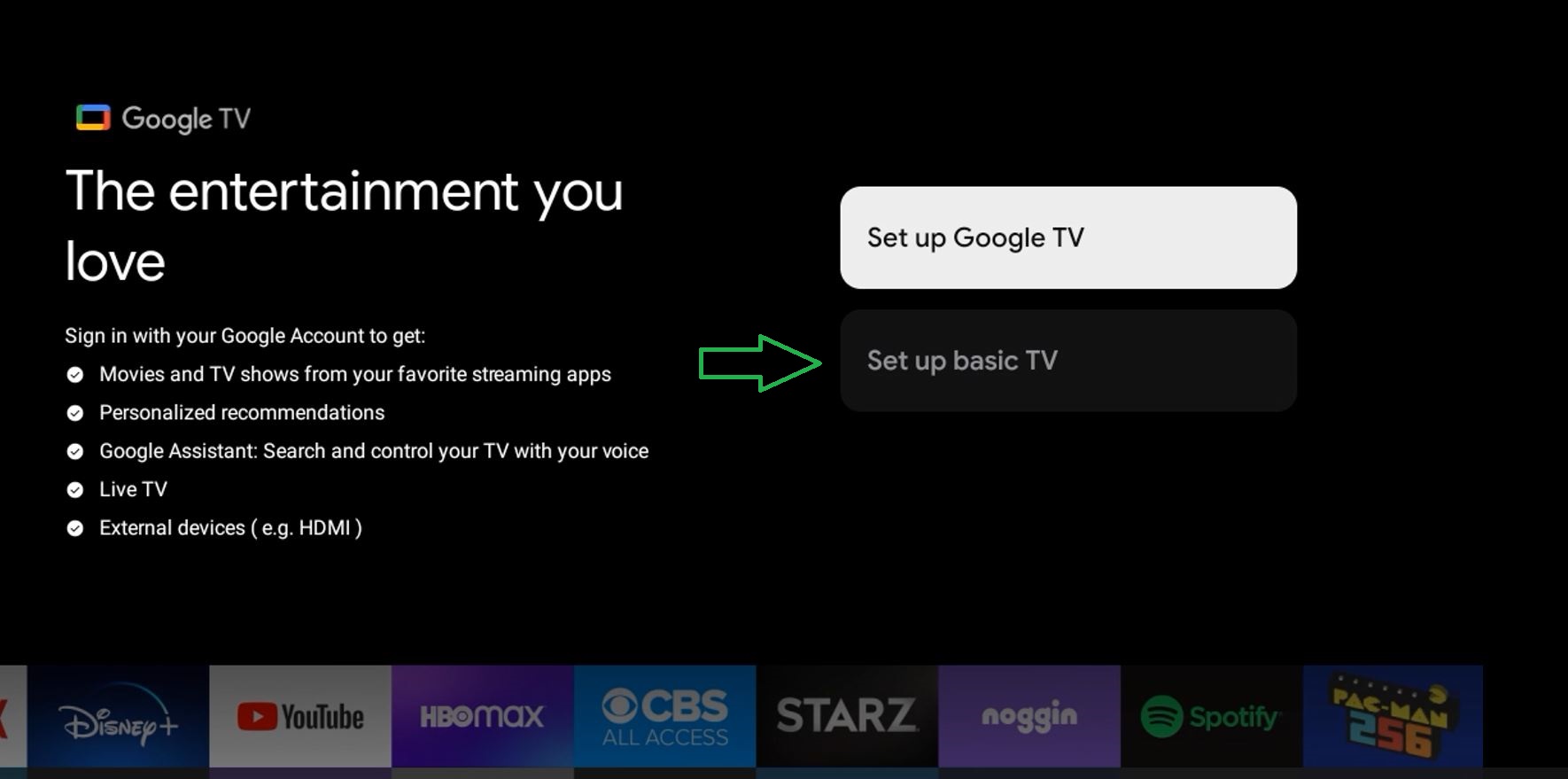
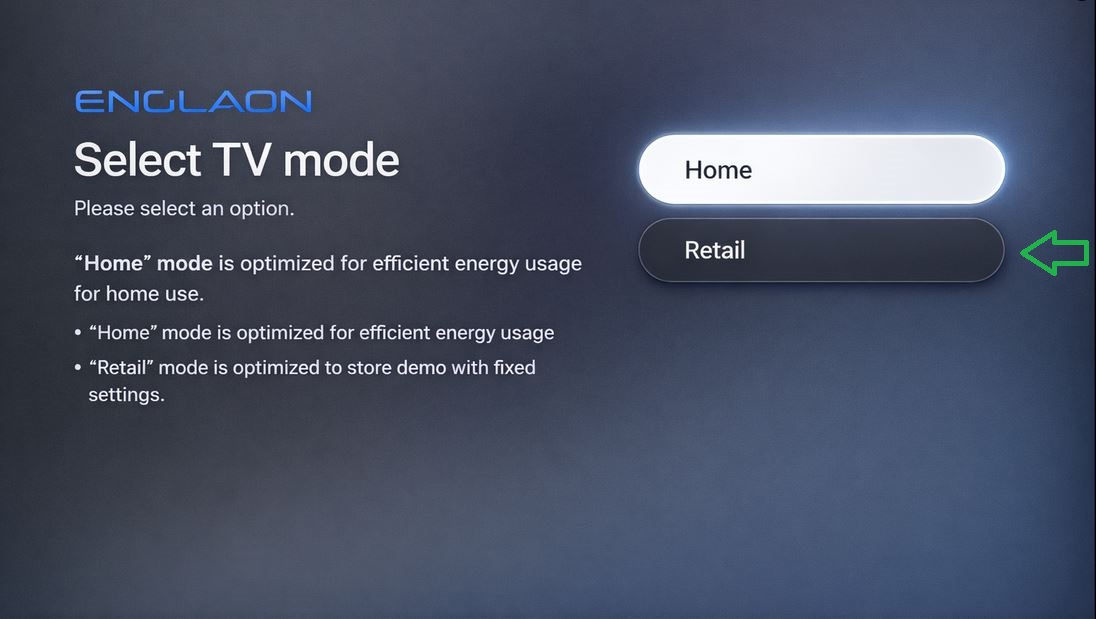
How to Skip Google Account Setup
The wording and steps vary depending on system version:
| System Version | Skip Option (On Screen) | Can Skip? | ENGLAON Models |
|---|---|---|---|
| Android TV (GTV 2.0) | Skip | ✅ Yes | X70 |
| Google TV 3.0 (Android 11) | Set up Basic TV | ✅ Yes | X90 & M Series |
| Google TV 5.0 (Android 14) | Retail | ✅ Yes | X70PLUS / X90PLUS / X90PRO |
ENGLAON Recommendation
Use Basic TV Mode if:
- You only watch TV or use HDMI devices
- You only need Netflix / YouTube / Prime Video
Use a Google Account if:
- You want to download your favorite apps
- You want casting, voice control, and full features
- You want the complete smart TV experience